



Managing your entire system through a centralized platform offers many advantages. Besides saving time and effort, it provides a holistic view of your environment and enables you to make well-informed decisions quickly. They help with troubleshooting as well.
In this article, let’s look at some of the best systems management software available today. All these tools come with many features to help manage your infrastructure and applications from a single location.
Best Tools for Infrastructure Management
Below are some of the best tools for infrastructure management.
- SolarWinds Server and Application Monitor (SAM)
- ManageEngine OpManager
- Paessler PRTG
- Zabbix
- Datadog
- Nagios XI
- Dynatrace
- Progress WhatsUp Gold
- NewRelic
- Icinga
Let’s take a detailed look at each of these tools.
-
SolarWinds Server and Application Monitor (SAM)
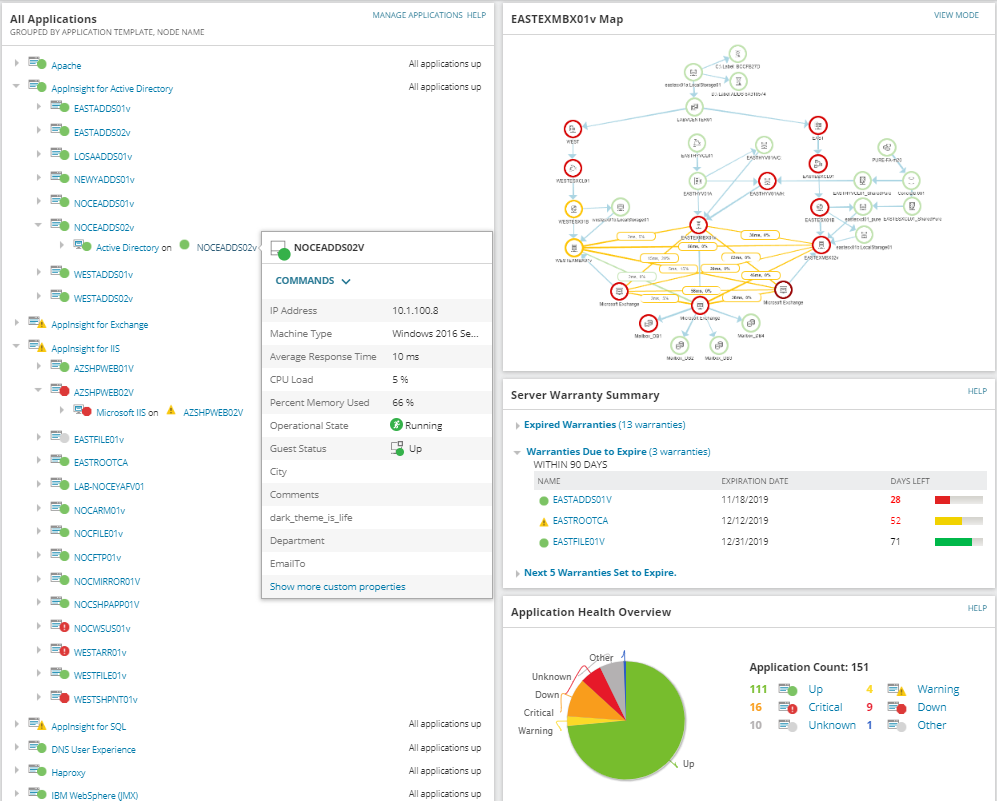
SolarWinds SAM is a comprehensive infrastructure management and monitoring software that can stay on top of the health and performance of 1,200+ applications and systems and the most popular operating systems. Its end-to-end monitoring ensures that every aspect of your infrastructure is visible to you.
Key Features
- You can set up custom monitoring with REST, API, SNMP, and PowerShell scripts.
- It creates infrastructure dependency maps.
- Provides health metrics for critical applications.
- It synthesizes multiple data types to provide the in-depth insights you need.
- Monitors custom components across your private, public, and hybrid environments.
Pricing
Starts at $1,813. Get a custom quote.
Free Trial
-
ManageEngine OpManager
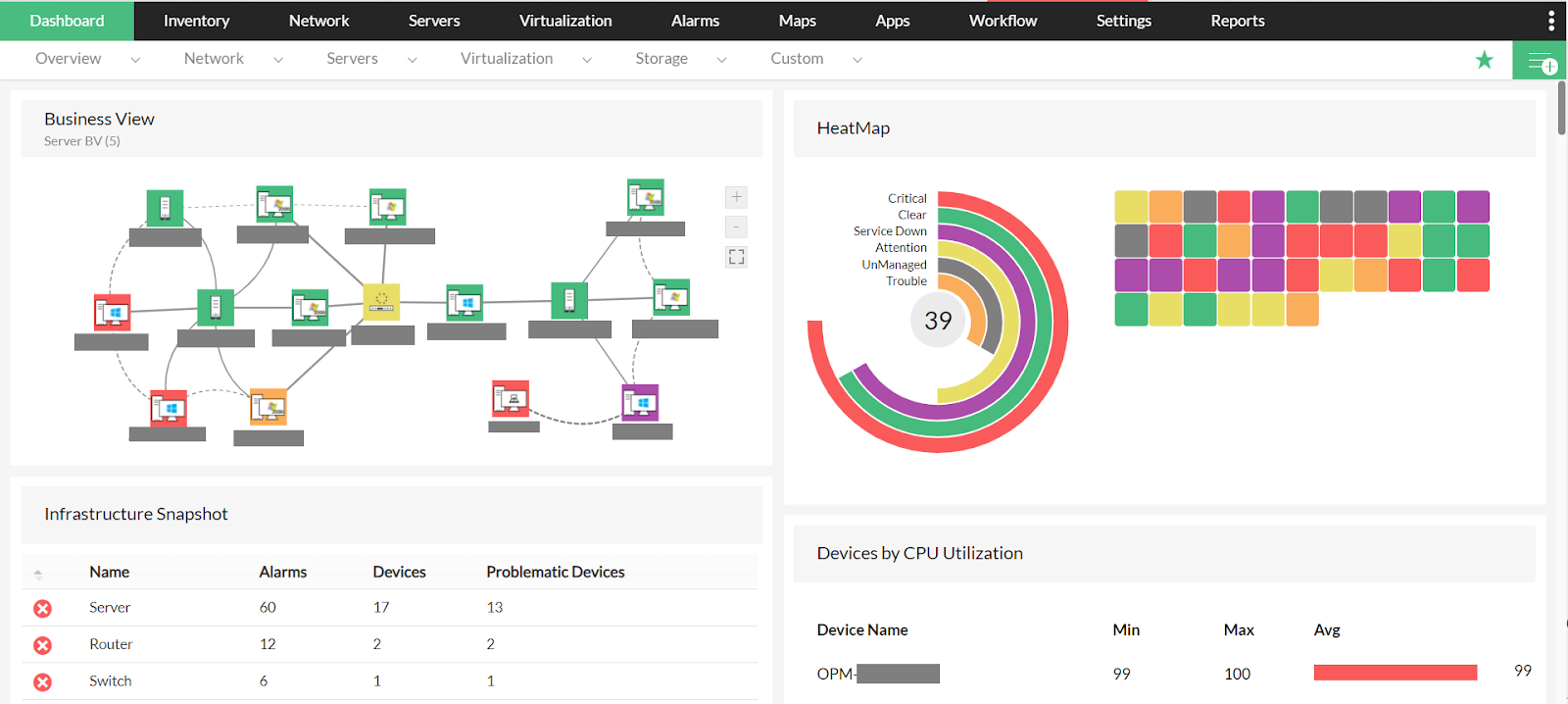
OpManager is another powerful infrastructure management and monitoring solution that offers deep visibility into the performance of your network devices, like firewalls, routers, servers, load balancers, and more. You can use this tool to monitor your physical and virtual servers, as well as your wireless routers and their endpoints.
Key Features
- Monitors 2000+ performance metrics spanning across your entire infrastructure.
- It generates critical insights into router health and performance.
- Provides visibility into network traffic.
- It automates configuration management.
- You can use the insights generated to analyze and troubleshoot WAN issues.
Pricing
Free Trial
-
Paessler PRTG
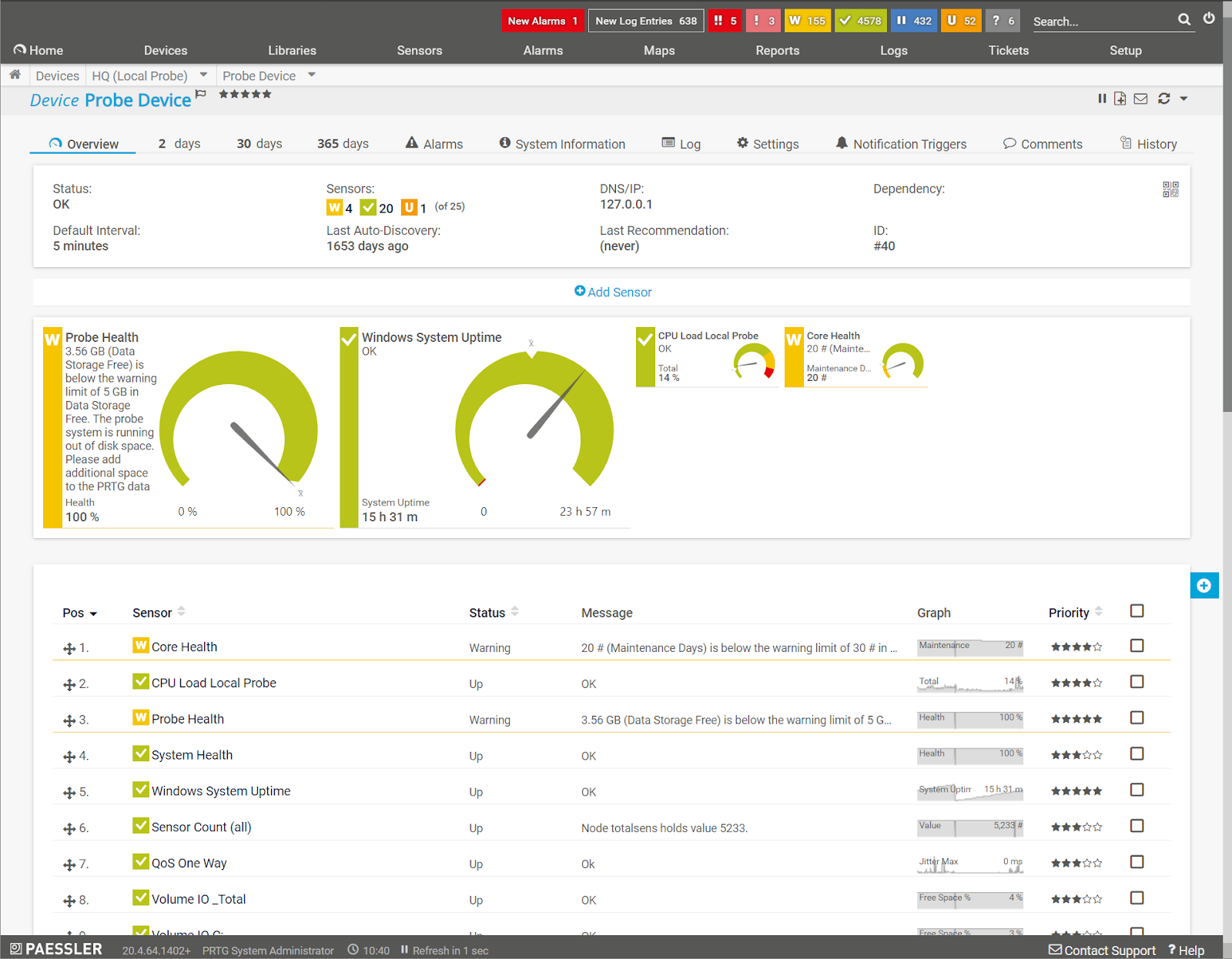
PRTG continuously monitors your network and immediately notify you of an error or other specified event. It also optimizes the overall performance of your network by ensuring that all servers are running and the routers are in good health. More importantly, the insights you gain from PRTG speed up the troubleshooting process, and reduce glitches and downtime.
Key Features
- PRTG provides comprehensive information about the inflow and outflow of traffic.
- Monitors all kinds of servers, including web, email, and file servers.
- Sends notifications about firewall updates as they become available.
- It supports all the important technologies like OPC UA, MQTT, Modbus, and more.
- Ensures the availability of your applications, services, and websites.
Pricing
Starts at $1,899. The exact cost depends on the number of aspects you use, where each aspect is a sensor you use on a device. If you use two sensors on one device or one sensor on two devices, it counts as two aspects.
Free Trial
-
Zabbix
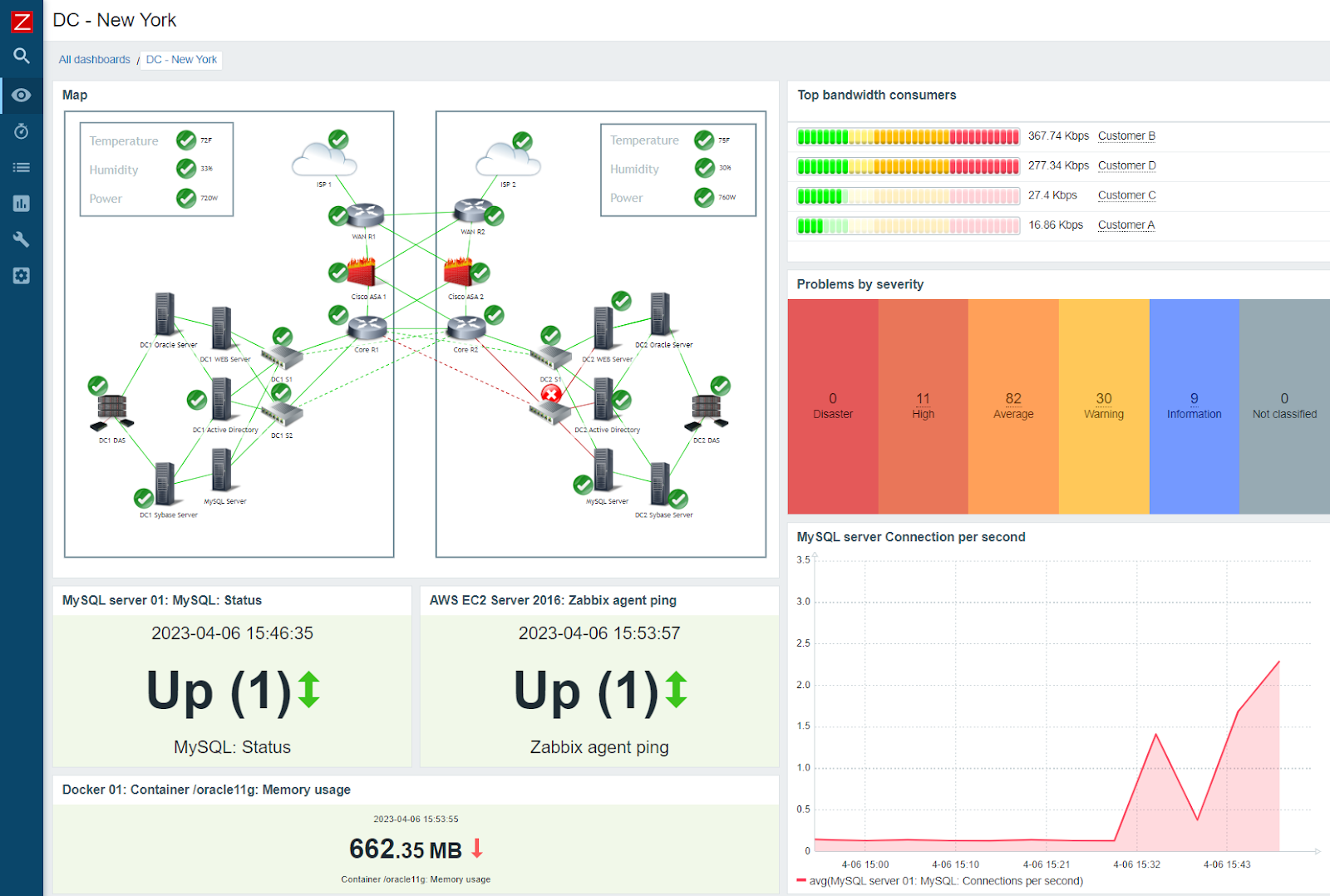
Zabbix is an open-source systems monitoring tool designed for large enterprises. With this tool, you can get a snapshot of the entire infrastructure within a single pane of glass. Also, it offers multiple deployment options, as you can run it on-premises or in the cloud. Moreover, you are always in full control of your data,
Key Features
- It collects metrics from any source and brings them all together for in-depth analysis. In turn, this provides a holistic view of your environment.
- With Zabbix, you can define the smart problem threshold and get notified of problems.
- It offers trend prediction, using which you can proactively handle issues.
- This tool detects anomalies based on historical data analysis in real time.
- Displays the collected and analyzed data in multiple ways.
Pricing
100% FREE.
Download
-
Datadog
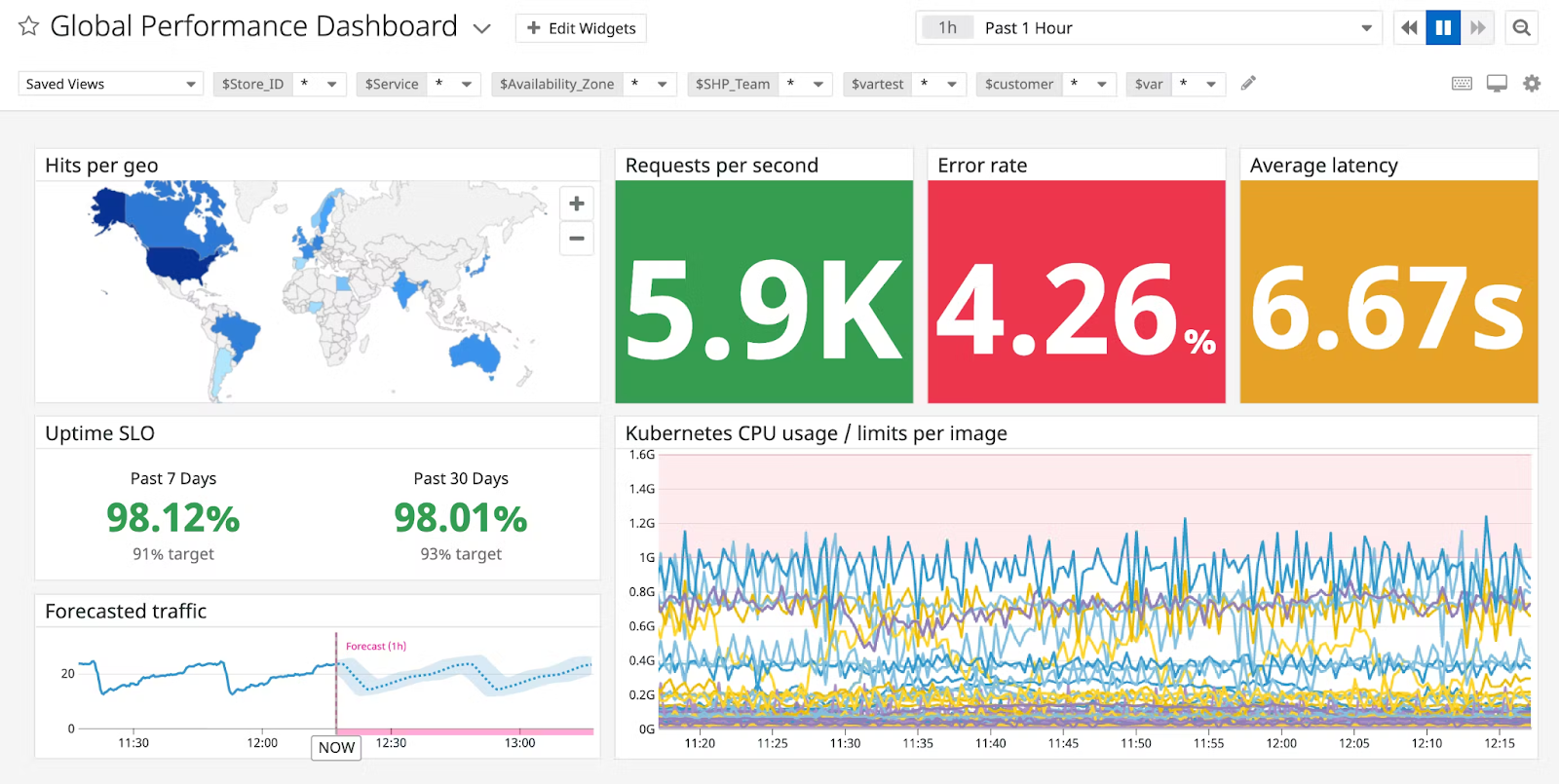
Datadog is another advanced tool for infrastructure management and systems monitoring. It offers in-depth visibility into your network’s activities and performance. At the same time, it also creates a secure environment for your organization to thrive. Armed with the information generated by Datadog and the security it offers, network engineers can optimize and secure both cloud and hybrid environments.
Key Features
- Deploys anywhere, including hybrid, IoT, multi-cloud, and on-premise environments.
- Integrates well with over 600 technologies, including Kubernetes and serverless platforms,
- Uses tag-based search and analysis to provide the information you need.
- It comes with an intuitive user interface to easily navigate through the platform.
- Datadog ingests metrics from any source and analyzes them.
Pricing
Datadog offers a wide range of pricing editions. Select the plan that best meets your needs.
Get Started
Sign up to get started for free.
-
Nagios XI
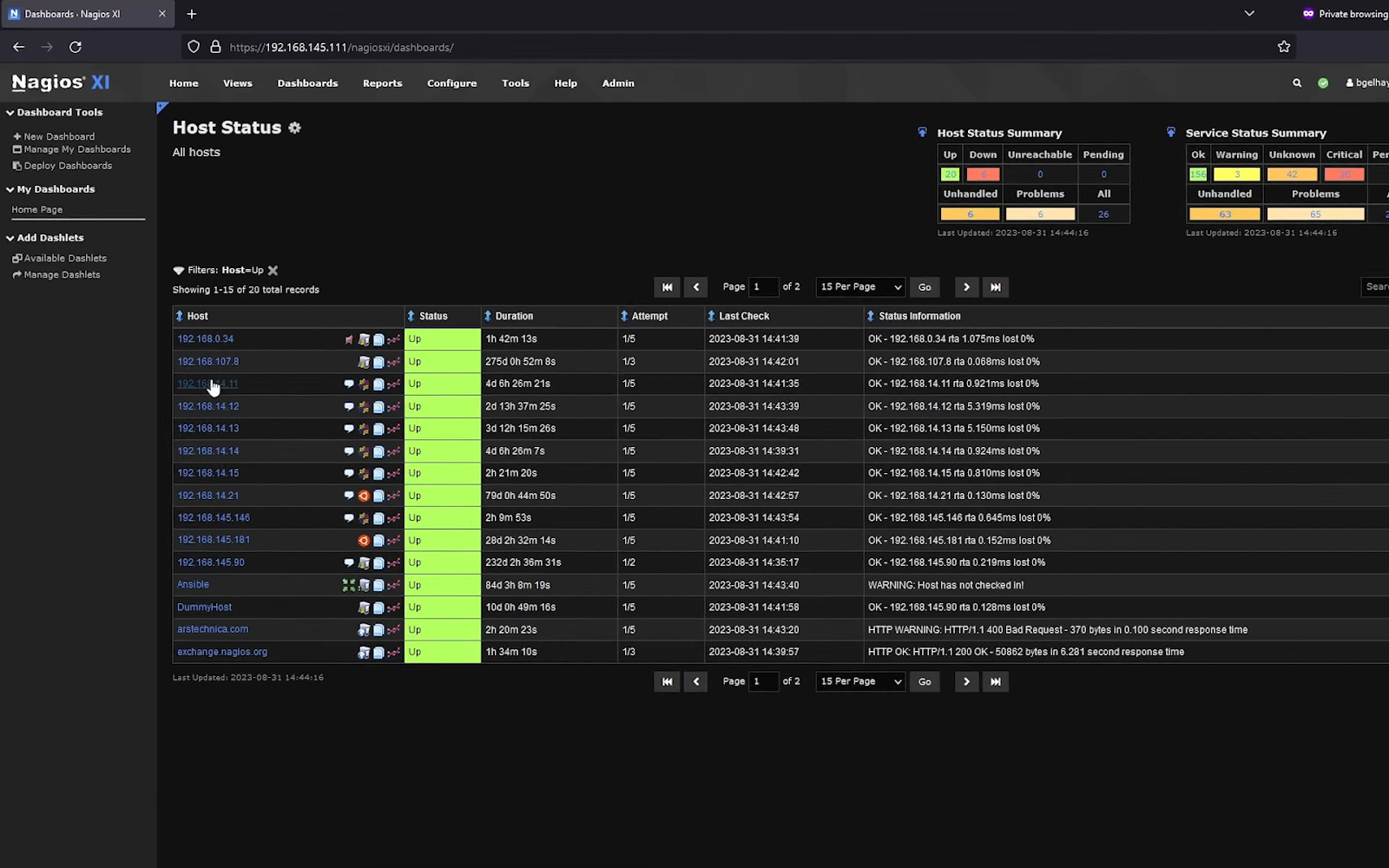
Nagios XI is an enterprise server and network monitoring solution built on the open-source Nagios platform. This infrastructure management platform can monitor all your critical components, applications, and systems using third-party add-ons and APIs. Moreover, it uses high-efficiency processes for accurate insights. It is highly scalable and boosts the performance of your infrastructure as well.
Key Features
- It offers automatic trending and capacity planning graphs for easy understanding of the state of your environment.
- It sends alerts via many channels like email, SMS, text message, Slack, Microsoft Teams, and more.
- Its architecture is highly customizable and extendable to include more devices.
- Nagios XI offers multitenant capabilities to efficiently manage user administration.
- It comes with advanced configuration options to provide complete control and visibility.
Pricing
The cost depends on the number of nodes you use:
- 100 nodes – $4,490.
- 300 nodes – $7,990
- 500 nodes – $10,490
- 1000 nodes – $16,490
- Unlimited nodes – $25,990
Free Trial
-
Dynatrace
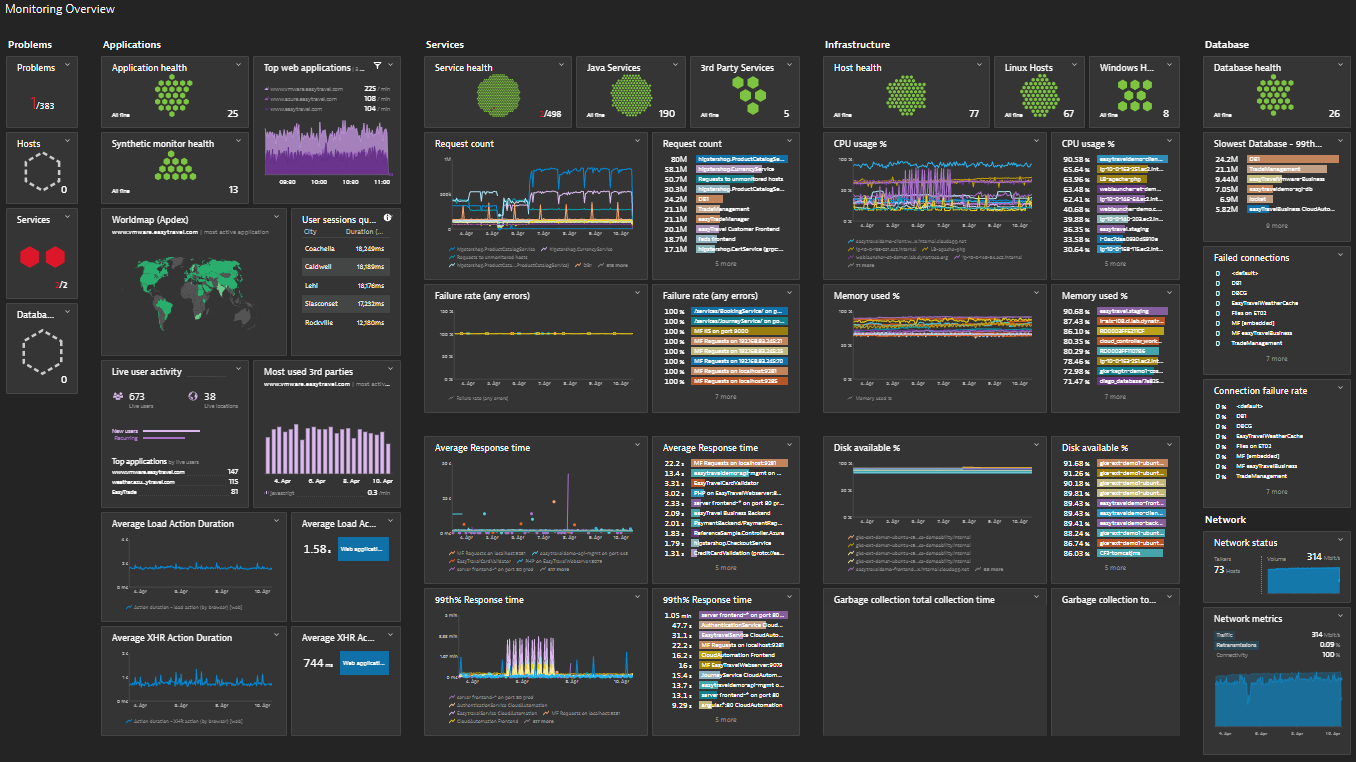
Dynatrace is an infrastructure management and observability tool that provides intelligent monitoring across hybrid and cloud environments. It uses AI to provide accurate insights that help with troubleshooting and optimizing the performance of your infrastructure. Moreover, it identifies the gaps that exist in your infrastructure and provides the insights to close them.
Key Features
- Removes data silos and provides end-to-end visibility into your entire infrastructure.
- Continuously discovers devices and creates visualizations to help understand the dependencies.
- Reduces false positives with AI-powered insights and alerts.
- Dynatrace Grail, the AI tool, provides the context for analyzed data for faster troubleshooting and improved optimization.
- Automates remediation and incident management.
Pricing
Infrastructure monitoring starts at $0.04 per hour for any size host.
Free Trial and Demo
Request a demo and start a free trial.
-
Progress WhatsUp Gold
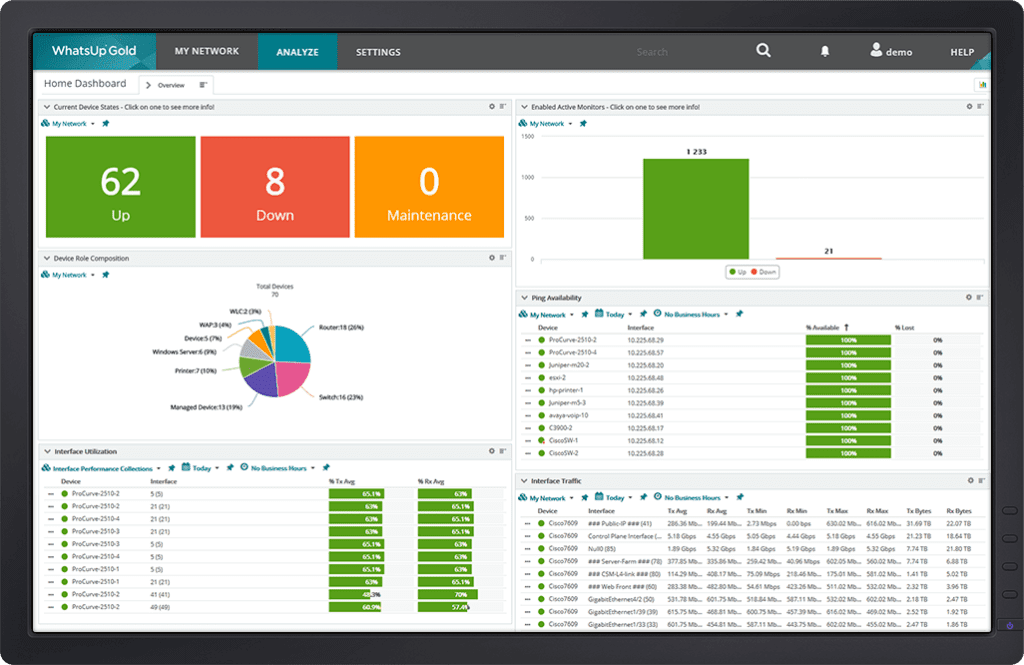
Progress WhatsUp Gold simplifies the process of infrastructure management as it uses intuitive workflows and identifies system integration bottlenecks and dependencies to help identify issues in your network. Armed with this contextual information, you can resolve issues while gaining complete visibility into the status and performance of your devices and applications.
Key Features
- It creates a detailed interactive map of your entire networked infrastructure.
- Generates real-time alerts to help meet your SLAs.
- It comes with highly customizable and easy-to-use dashboards and maps.
- With this tool, you can easily switch between physical, virtual, and wireless environments to resolve issues in each of them.
- Its integrated log management and archiving make it easy to find the information you need.
Pricing
WhatsUp Gold offers three pricing editions:
- Free
- Premium (annual subscription or perpetual licensing)
- Total Plus
Contact the support team for a custom quote for the paid plans.
Free Trial
-
NewRelic
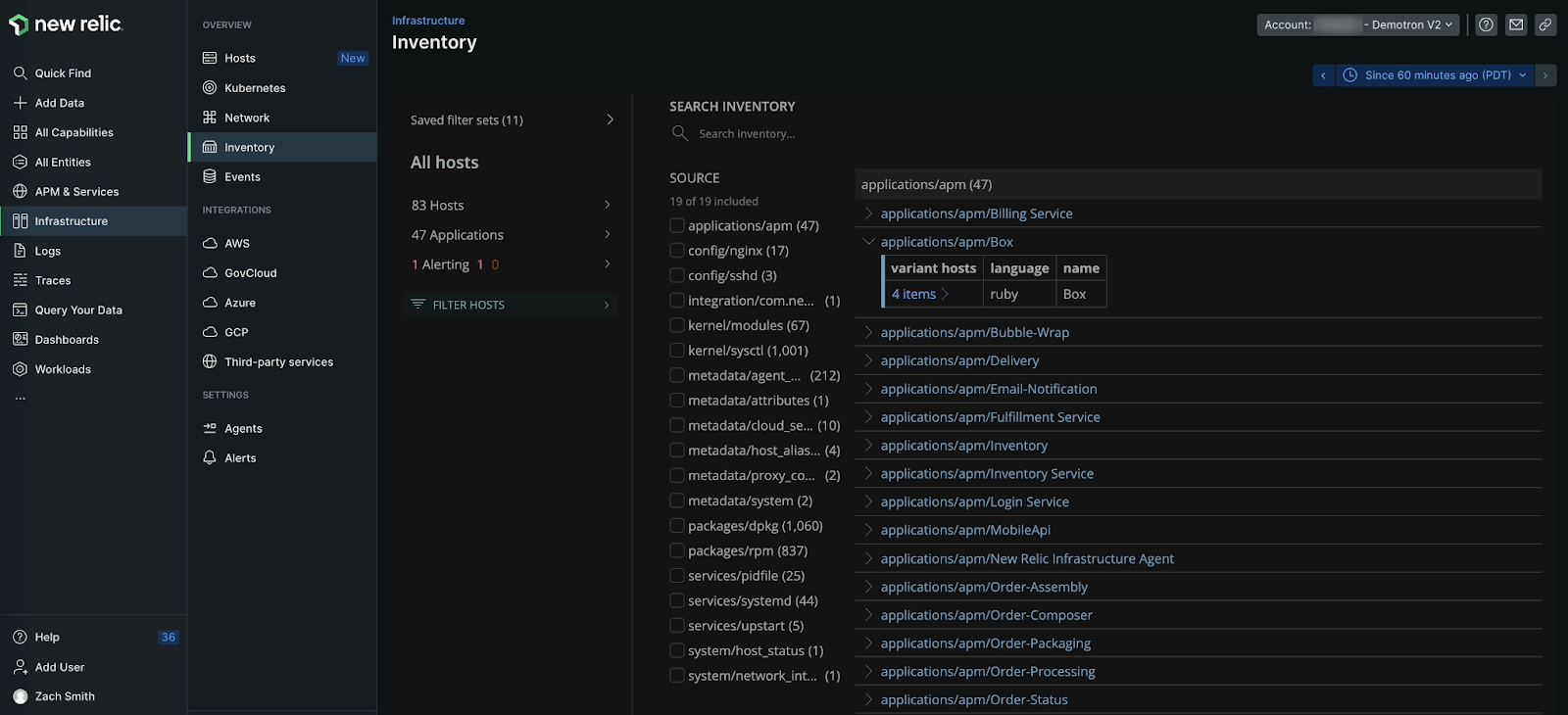
NewRelic provides dynamic and flexible observability of your entire infrastructure to help you stay on top of the performance of cloud services and dedicated hosts operating in an orchestrated environment. This infrastructure management tool can also scale well to monitor hundreds of data centers running on AWS, Google Cloud, or Azure.
Key Features
- Provides real-time metrics and analytics to reduce the mean time to resolution.
- Makes it easy to track config changes and other key events to reduce their impact on your overall infrastructure.
- You can view logs for your infrastructure and application data, and search through it to find the required information.
- It integrates well with most known platforms and services.
- Offers a real-time feed for your entire infrastructure.
Pricing
Get Started
Sign up to get started.
-
Icinga
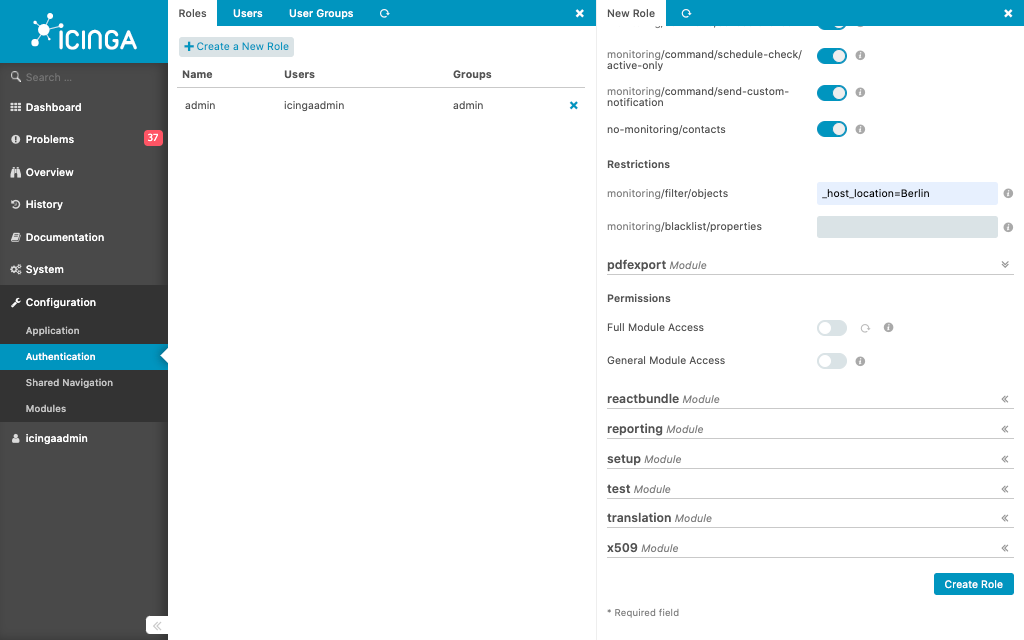
Icinga is a comprehensive infrastructure management and monitoring platform that collects and analyzes information and provides the insights you need – all from a single platform. Using this information, you can improve your infrastructure’s performance and the overall business results. This full-stack monitoring tool also helps identify issues for troubleshooting.
Key Features
- Its well-developed web interface displays different colors for various errors, making it easy to quickly identify the problem.
- Sends notifications and alerts to help you proactively respond to issues before they impact end users.
- Integrates well with existing infrastructure.
- Improves collaboration across teams.
- Its metrics and logs can analyze data to provide context of an issue. It can recognize trends and patterns as well.
Pricing
Contact the sales team for a quote.
Get Started
Sign up to get started.
Conclusion
Effective infrastructure management is crucial for ensuring the seamless operation of your systems. The 10 tools highlighted in this article offer diverse solutions to monitor, analyze, and optimize your infrastructure. These tools empower you to make informed decisions and swiftly address issues before they impact users. Furthermore, all of them come with intuitive interfaces for easy management and comprehensive views.
However, the key is to choose a tool that aligns with your specific needs and preferences. As technology evolves, staying informed about the latest advancements in systems management software is essential for keeping your infrastructure robust and resilient.
