


TLDR
- Alpha Flight 7 “Stairway to Seven” lifted off on March 11, achieving orbit and successfully deploying a Lockheed Martin payload.
- Shares of FLY gained approximately 6.24% to reach around $20.60 after the launch.
- The launch occurred five months following an explosion in Texas that destroyed an Alpha booster.
- Key Alpha Block II improvements were confirmed during the mission, including upgraded avionics and enhanced thermal protection.
- Five of eight analysts rate FLY as Buy or better, with a consensus target price of $38.29.
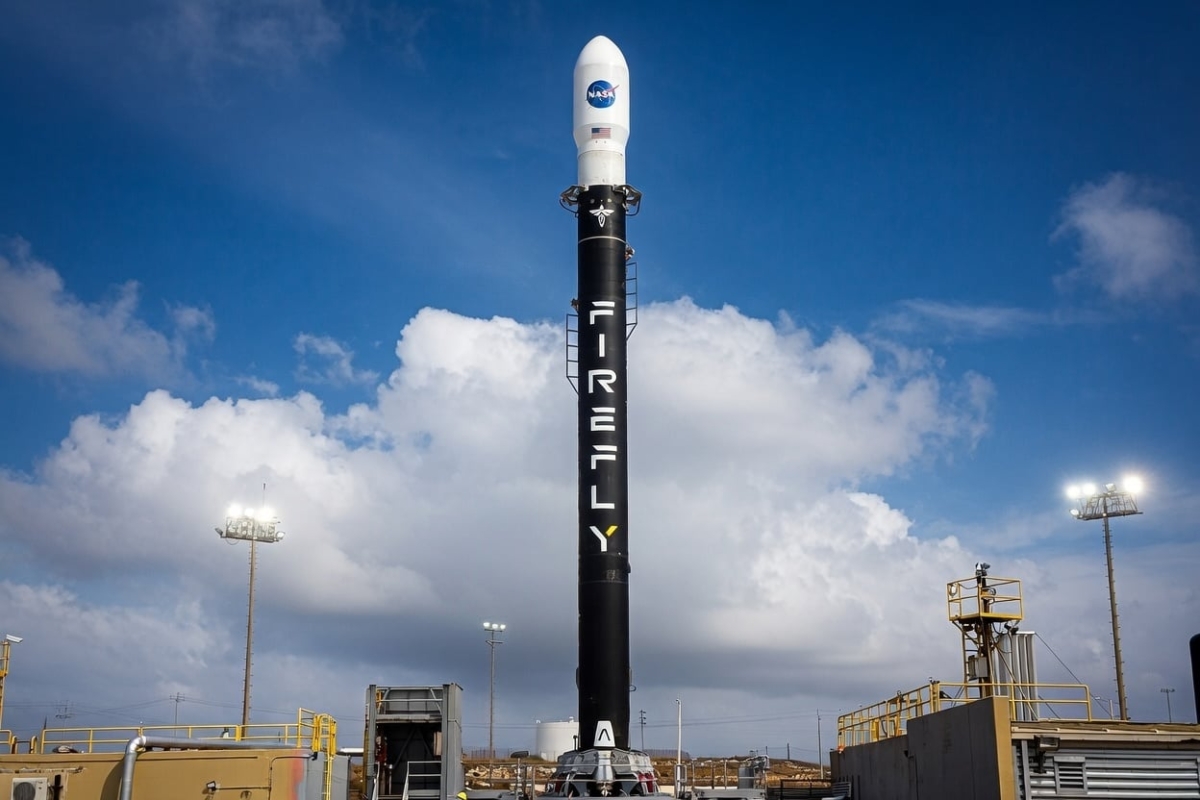
Firefly Aerospace (FLY) shares advanced roughly 6.24% on Thursday following the successful completion of its Alpha Flight 7 “Stairway to Seven” mission on the previous evening.
The Alpha rocket departed from Space Launch Complex 2 at Vandenberg Space Force Base in California at 5:50 pm PDT on March 11. The vehicle achieved orbital insertion and successfully deployed a demonstrator payload for Lockheed Martin (LMT).
This launch represented the company’s fourth orbital success across seven Alpha mission attempts since 2021. The achievement signaled a recovery for a program that had been temporarily halted following a facility incident last year.
Five months earlier, an explosion during pre-launch operations at Firefly’s Briggs, Texas facility resulted in the loss of an Alpha booster. Investigators determined that fluid contamination stemming from an operational mistake caused the incident.
After the accident, Firefly executed a comprehensive evaluation of its engineering, manufacturing, testing, and operational procedures. CEO Jason Kim stated the organization “took a hard look at our processes” and implemented multiple enhancements before resuming launch operations.
“Alpha Flight 7 was flawlessly executed with all mission requirements completed,” Kim said in a statement.
FLY shares concluded Wednesday’s regular trading session up 6.3%, then advanced an additional 4.8% to 5.6% during after-hours trading. By Thursday morning the stock was changing hands around $20.60, with premarket activity indicating some retreat to approximately $19.33.
Alpha Block II Upgrades Validated
The Flight 7 mission accomplished more than orbital insertion. The Alpha vehicle also executed a second stage engine relight and confirmed critical elements of the forthcoming Block II configuration.
Enhancements verified during the flight include a newly developed in-house avionics suite and an improved thermal protection system. These components will be integrated into the comprehensive Block II redesign scheduled for Alpha Flight 8.
Block II extends the rocket’s length by seven feet and features reinforced carbon composite structures manufactured using automated equipment. Power systems and avionics will be consolidated and produced internally.
Adam Oakes, Vice President of Launch, characterized Flight 7 as “a critical opportunity to validate Alpha’s performance ahead of our Block II upgrade.”
Stock Still Well Below IPO Highs
Despite Thursday’s advance, FLY continues trading roughly 54% beneath its initial public offering price. The shares began trading on Nasdaq in August 2025 at a valuation that temporarily elevated its market capitalization near $10 billion following a first-day rally exceeding 50%.
The 52-week trading range extends from $16.00 to $73.80, positioning the current price considerably below peak levels.
Wall Street analysts maintain broadly favorable outlooks. Among the eight analysts tracking FLY, five assign it a Buy rating or better. Three rate it Hold, with zero sell recommendations, according to Koyfin data.
The average consensus price target stands at $38.29, representing potential upside of approximately 90% from present trading levels.
Firefly continues working toward completing the remaining preparations for Alpha Flight 8, which will feature the complete Block II configuration.
